Your Microsoft Technology Development and Consulting Experts - Operating since 2000

Location
Australia WideSydney, NSWMelbourne, VicBrisbane, QldPerth, WAAdelaide, SACanberra, ACTNorthern Rivers, NSWWollongong, NSWRichmond, VicDarwin, NT
emailconsult@officeexperts.com.au
Phone1300 102 810
Office experts logo
Contact Us
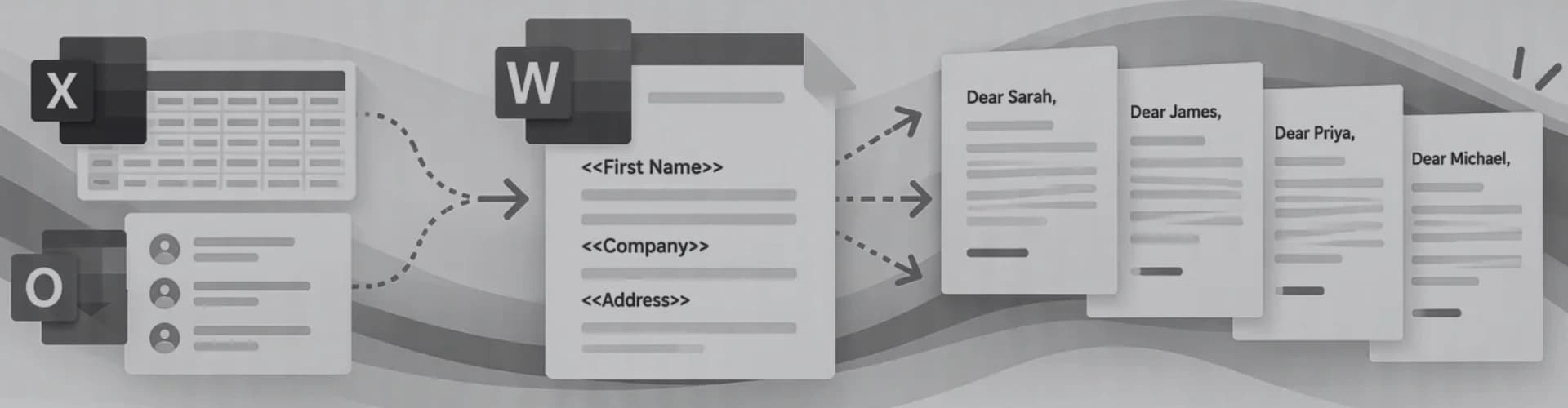
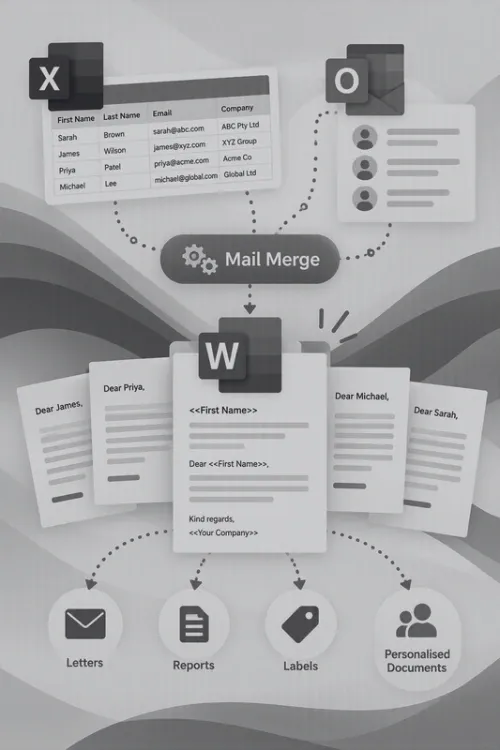
Word documents being merged with a data listWord documents being merged with a data list

Mail Merge Services

Save time, reduce errors

Mail merge that does the typing so your team doesn't.

Mail merge is one of Microsoft Word's most useful and most underused features. It takes a single Word template, connects it to a list of people or records, and produces a personalised letter, label, invoice or email for every row in that list. Hundreds of documents in minutes, without anyone copying and pasting names.

We set up, automate and repair mail merge for Australian businesses, not-for-profits and government teams. Your merge is built on your branded Word template, the data is tidied so it merges correctly, and the process is simplified so anyone on the team can run it. It's one of the quickest ways to remove repetitive document work.

Merges from
  • Excel
  • Access
  • Outlook contacts
  • SQL Server
  • SharePoint lists
  • CSV exports

What you can merge

If it repeats, it can be merged.

Each document below starts life as a single template. The tokens on the right are examples of the fields that change from one copy to the next.

Our mail merge services

From first template to fully automated.

Most projects combine a few of these. Open any service to see what's included.

Template creation

Design & build

We build new merge templates or rebuild the ones that have become fragile over the years, on top of your corporate template so styles, logos and layout survive every merge.

  • Merge fields mapped to clean, consistently named data columns
  • IF rules for salutations, optional paragraphs and clauses
  • Field switches for Australian dates, currency and four-digit postcodes
  • Letter, envelope, label and email versions from one data list

Data source linking

Excel · Access · Outlook

A merge is only as good as its data. We connect your template to the right source and tidy that source so Word reads it reliably, including cleaning messy Excel data before it goes anywhere near a letter.

  • Excel workbooks, named ranges and filtered tables
  • Access tables and saved queries for targeted merges
  • Outlook contacts and Exchange address lists
  • SQL Server views and SharePoint lists
  • Duplicates, blanks and inconsistent formats fixed at the source

Workflow automation

VBA & macros

Word's built-in merge stops at one long document. With VBA development we take it the rest of the way, so a full mailing runs from a single button.

  • Split a merge into individual Word or PDF files, each named from the data
  • Save each file straight into the matching client or project folder
  • Send individual emails, each with its own attachment
  • One-click merge buttons on a custom ribbon
  • A log of every run: who, when and how many records

Staff training

Hands-on sessions

Short, practical Word training built around your own templates and data, in person or over Teams, so your team can run merges confidently without calling for help.

  • Previewing and test-running a merge before it prints or sends
  • Filtering, sorting and excluding records
  • Editing a template without breaking its fields
  • Spotting the common formatting errors early

Troubleshooting and repair

Fixes

When a merge that used to work suddenly misses records, loses its data or prints field codes, we find the cause and repair it so it stays fixed.

  • Broken data links after files move to SharePoint or OneDrive
  • Merges that skip records or stop partway through
  • Field codes showing instead of results
  • Corrupt or bloated templates rebuilt cleanly

Microsoft 365 integration

SharePoint · Power Automate

For teams working in the cloud, we move document generation off individual desktops so everyone works from the same templates and data.

Common mail merge problems

Why your merge looks wrong.

Most mail merge complaints come down to the same handful of formatting issues. Here's what causes each one and how we fix it for good.

Beyond mail merge

When a merge isn't enough, there's a next step.

Mail merge is brilliant for fixed layouts. When documents need to choose content, repeat tables or write themselves, we step up the approach rather than forcing the merge.

Not sure which fits? Tell us what your documents need to do. We've been automating Microsoft Word since 2000, and quite often the simplest option is the right one.

Talk to a Word specialist
Case Studies

A couple of automated document generation projects we completed

2500+ Happy Clients

Read all case studies
  • Building financial planning reports from a pop-up form and a library of ready-made headings
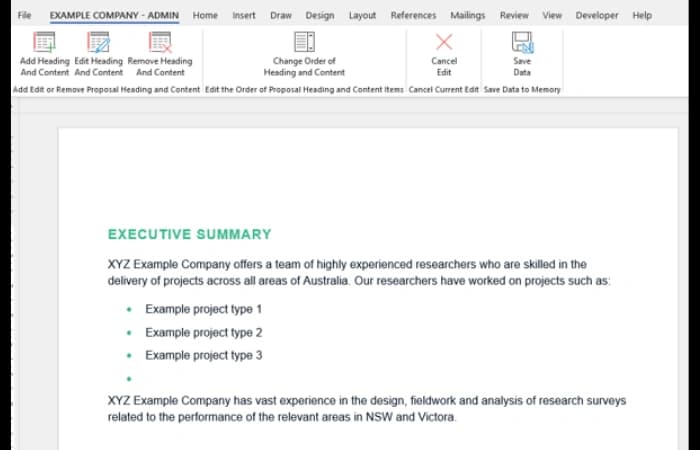
    Word document builder with a pop-up form and heading library for financial planning reports

    A financial planning client's reports combine free text with a large library of headings and content in three tiers. We built a Word document builder with a pop-up form for choosing only the items needed, automatic parent headings, custom Heading 3 items that format themselves, and a background library the Administrator maintains and rolls out to staff templates.

    See the document builder
  • Replacing 50-page proposals built by hand with a database-driven document generator

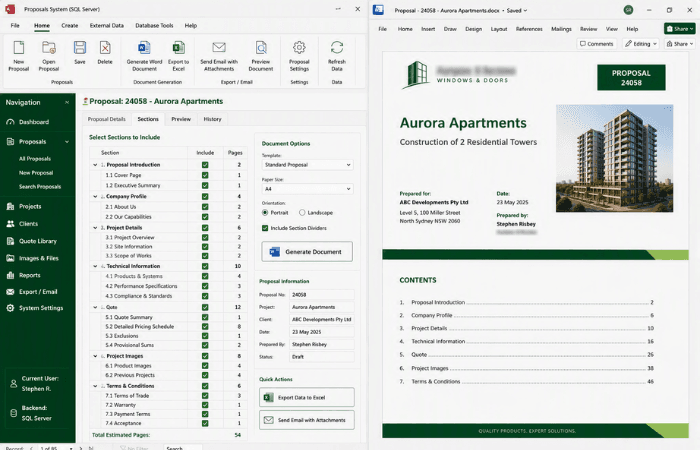
    Access database generating long Word proposals and contracts

    A window and door installer was assembling proposals, quotes and contracts, often 50 pages or more, by hand from paper records and Excel. We designed an Access database, later migrated to SQL Server, where staff select the sections they need and the full Word document is generated with project and client details, quote tables, data and images.

    See the proposal generator

Contact Us

Get in touch with our team for general enquiries and support. We're here to help with any questions you might have about our services.

Need to attach a file?

Need pricing for a specific project? Fill out our quote form and we'll provide you with a detailed estimate tailored to your needs.