Your Microsoft Technology Development and Consulting Experts - Operating since 2000

Location
Australia WideSydney, NSWMelbourne, VicBrisbane, QldPerth, WAAdelaide, SACanberra, ACTNorthern Rivers, NSWWollongong, NSWRichmond, VicDarwin, NT
emailconsult@officeexperts.com.au
Phone1300 102 810
Office experts logo
Contact Us
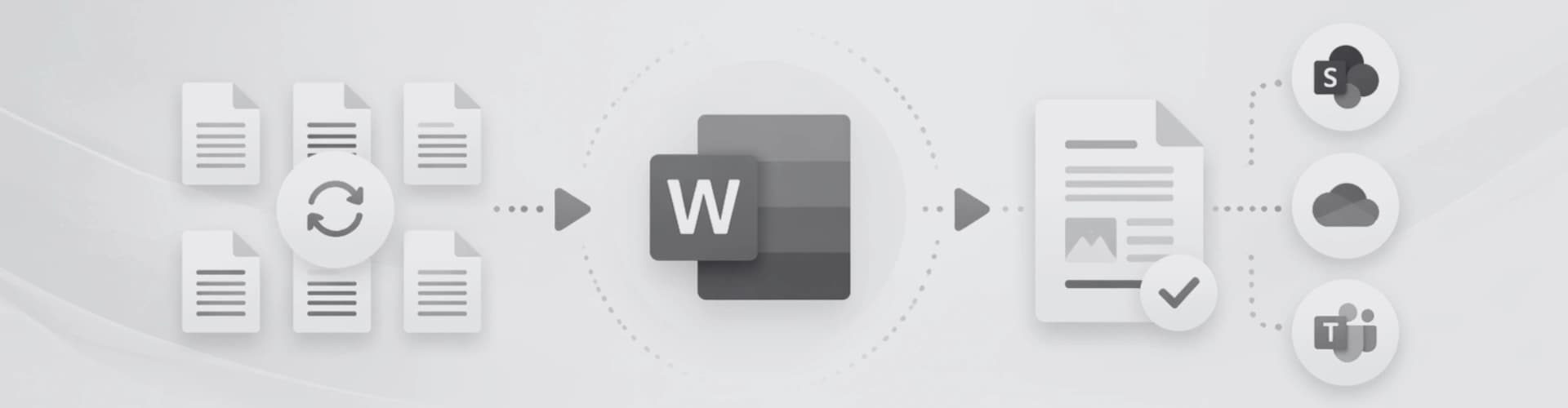
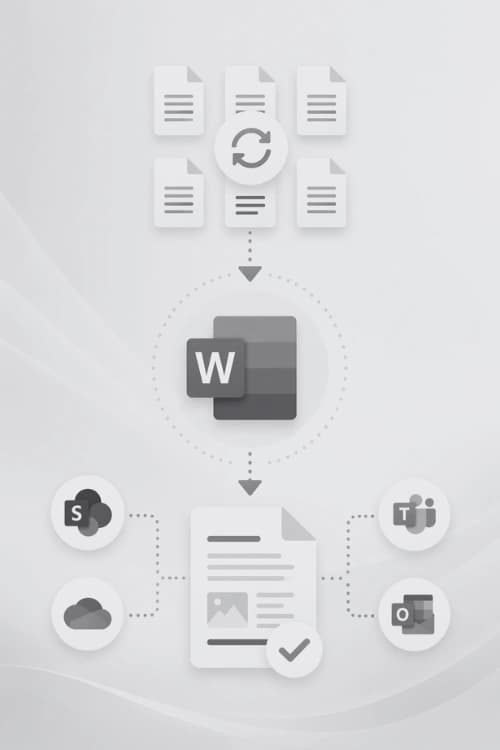
Microsoft Word automation flowMicrosoft Word automation flow

Word Document Automation

Work Smart, Not Hard

Stop Repeating Tasks. Start Automating.

Every hour you or your team spends reformatting headers, re-inserting tables or fixing page layouts is an hour lost. Our Word automation specialists build custom solutions using VBA macros, Building Blocks and intelligent templates that handle the repetitive tasks eating into your productivity.

Whether you need a single macro to automate a nightly report, or a fully templated document system rolled out across a 200-person organisation, we design solutions that fit into your current workflow.

VBA & Macro Development

Custom Visual Basic for Applications code that automates complex, multi-step tasks at the click of a button. Reduce hours of manual work to seconds.

VBA macro development

Building Blocks & Quick Parts

Pre-built document elements such as covers, tables, boilerplate clauses and signature blocks, all inserted instantly without copying, pasting or reformatting.

Word Quick Parts

Automated Headers & Footers

Dynamic header and footer content that updates automatically: document titles, section names, page counts, client details and revisions.

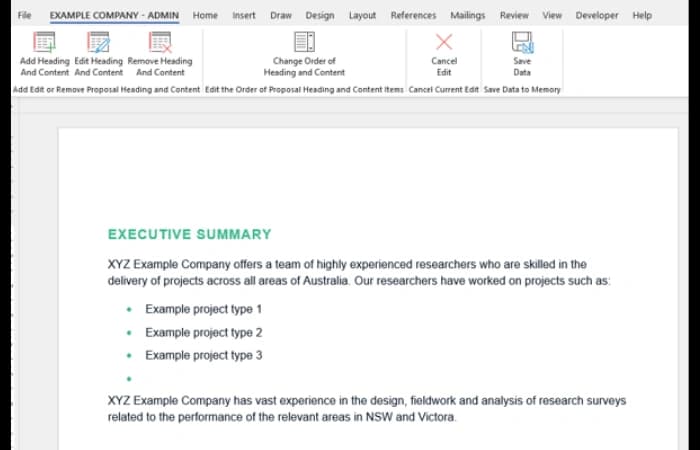
One-Click Page Layouts

Landscape pages, A3 sections, multi-column layouts and chapter breaks inserted on demand from a custom ribbon. Correctly formatted, every single time.

Custom Word ribbons

Template Standardisation

Locked, role-aware templates that enforce brand consistency across your entire team, removing formatting errors before they happen.

Global Template Solution

End-to-End Workflow Automation

From data merge and content population through to PDF output and email distribution. Complete document workflows built around your business processes.

Word mail merge

Real Business Outcomes

What Automation Actually Looks Like

Document automation might sound like a buzzword that will overcomplicate your existing system, but it is most often built with the standard tools already inside Microsoft Word. We use VBA macros to run multi-step tasks at the click of a button, Building Blocks to insert pre-formatted content instantly, Content Controls to guide users through structured data entry, and field codes to keep dates, titles and page numbers current. Implemented correctly, the result is easy to use, frees up time and quickly becomes an essential part of your workplace.

Before

Manually copying client names, addresses and project details into each new proposal, taking 25 minutes per document.

After

A single data-entry form populates every field across the entire document in seconds.

Before

Inserting a landscape page mid-document breaks the header, footer and page numbering every time.

After

One button click inserts a correctly formatted landscape section with matching header and footer automatically.

Before

Each staff member applies their own formatting interpretation, producing inconsistent documents sent to clients.

After

A locked template enforces brand standards. Every document looks identical, regardless of who creates it.

Before

Compiling monthly reports means copying data from multiple spreadsheets, reformatting tables and re-checking page numbers.

After

A macro pulls the data, builds the tables and outputs a finished, print-ready document.

AI Document Automation

Let AI Write the First Draft. Let Word Keep It on Brand.

Macros and Building Blocks handle structure and formatting. AI now handles the writing: pulling details from notes, emails and business systems and turning them into a first draft. We use Microsoft Copilot or build our own custom AI agents, depending on where your data lives and how much control you need.

Inside Microsoft 365

Copilot in Word

Copilot drafts, summarises and rewrites content directly inside Word, grounded in the files your staff already have access to. We configure it, write the prompts your team actually needs and train staff to turn its output into finished documents.

  • First drafts of reports, letters and proposals from notes
  • Summaries of long documents and email threads
  • Copilot Studio agents grounded in your SharePoint content

Best for: Teams already licensed for Microsoft 365 Copilot

Microsoft Copilot consulting
Built by our programmers

Custom AI agents

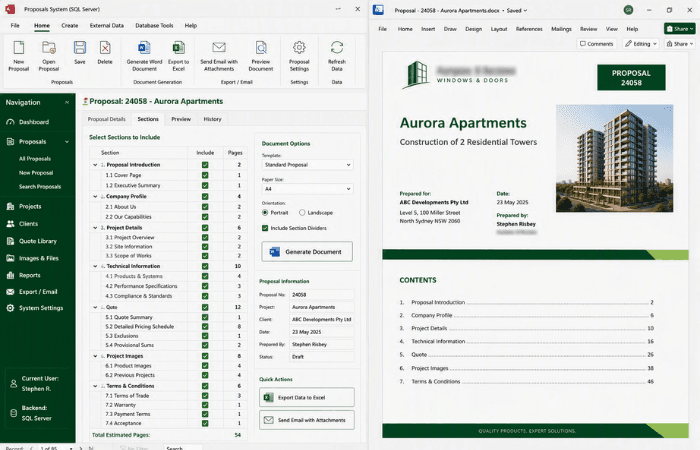
When Copilot can't reach your data or follow your process, our programmers build agents in Python and JavaScript that read your systems, apply your rules and write the result straight into your Word template, ready for review.

  • Proposals drafted from call notes and a live rate card
  • Reports assembled from databases, CRMs and spreadsheets
  • No requirement to run inside your Microsoft tenant

Best for: Repeatable, high-volume documents with business rules

AI agent development

AI is only as good as the template it writes into

Without proper styles, content controls and locked layouts, AI output arrives as unformatted text that someone still has to fix. We rebuild templates so generated content lands in the right place, in the right format, every time.

AI-ready Word templates

Simple Integration

Every Document Element, Automated

Our Word automation solutions handle the full range of document components your team works with day to day. We build it once, test it thoroughly and roll it out across your business so every document is consistent and effortless to produce.

  • Cover pages & title pages
  • Image layout pages
  • Chapter & section break pages
  • Pre-built branded tables
  • Landscape & A3 pages
  • Multi-column sections
  • Appendix sections
  • Terms & conditions sections
  • Dynamic header & footer content
  • Auto-populating content fields
  • Table of contents generation
  • Automated numbering & cross-references
Since 2000automating Microsoft Word for Australian teams
Case Studies

Some past projects that removed repetitive document work

2500+ Happy Clients

Read all case studies

Contact Us

Get in touch with our team for general enquiries and support. We're here to help with any questions you might have about our services.

Need to attach a file?

Need pricing for a specific project? Fill out our quote form and we'll provide you with a detailed estimate tailored to your needs.