Your Microsoft Technology Development and Consulting Experts - Operating since 2000

Australia WideSydney, NSWMelbourne, VicBrisbane, QldPerth, WAAdelaide, SACanberra, ACTNorthern Rivers, NSWWollongong, NSWRichmond, VicDarwin, NT
Your Microsoft Technology Development and Consulting Experts - Operating since 2000


This legal firm wanted to improve Microsoft Word capability across its team, but the real story behind the request was a set of familiar practice-wide problems: inconsistent formatting, numbering issues in long documents, and copy-and-paste chaos. We delivered a live 90-minute Teams training session for around 29 legal professionals, built entirely around the firm's own documents, covering everything from Styles and multilevel numbering to Track Changes and PDF conversion.
The challenge
This legal firm approached us wanting to improve Microsoft Word capability across its team, with a practical training session tailored to the way legal professionals actually work with documents day to day.
An initial discussion revealed the request went deeper than a simple skills refresher. The firm was experiencing many of the common challenges legal practices run into with Word: inconsistent document formatting, numbering and heading issues in long legal documents, and difficulty maintaining document structure as files were edited and passed around.
Problems caused by copying and pasting content from external sources were a recurring frustration, and staff Word proficiency varied widely across the team, meaning any session needed to land for basic and intermediate users alike, not just the most confident.
Beneath the immediate training request sat a broader interest in document governance and template management, and the firm wanted a session that delivered immediate, practical value to every attendee while also surfacing where document quality and consistency could be improved firm-wide.
Our approach
We deliberately designed the session to focus on practical, day-to-day document creation and management rather than advanced template development, keeping the content relevant and accessible to users ranging from basic through to intermediate Word skills.
Rather than relying on generic examples, we drew on the firm's own documents throughout the session, letting participants see real-world formatting issues and their solutions within document structures they immediately recognised from their own work.
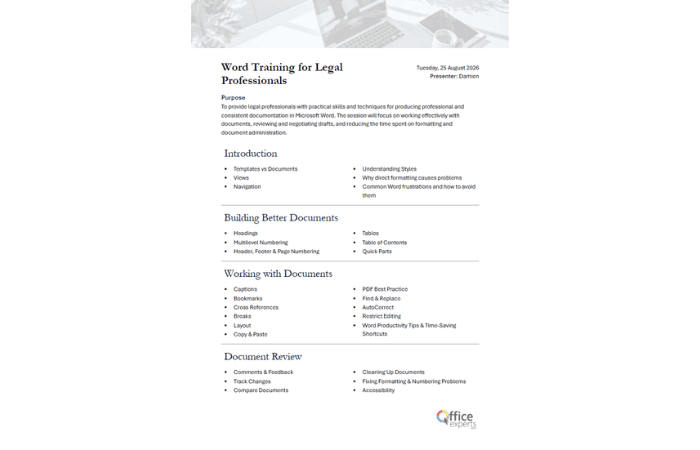
The session worked through the difference between Word templates and documents, using Styles correctly, creating and managing multilevel numbering, and using the Navigation Pane to reorganise large documents, alongside headers, footers, sections and page numbering.
We covered building and formatting tables efficiently, creating automatic Tables of Contents, working with Quick Parts and reusable content, best practices for Track Changes and Comments, troubleshooting copy-and-paste formatting issues, and PDF conversion best practices, rounded out with productivity tips and keyboard shortcuts for legal drafting.
Throughout the live 90-minute Teams session, practical demonstrations showed how seemingly small Word habits can significantly reduce formatting problems and improve efficiency when working with lengthy legal documents.
The outcome
Around 29 legal professionals came away with practical skills they could apply immediately in their day-to-day work, with a clearer understanding of how Word functions behind the scenes and how to avoid the common issues that consume time during drafting and review.
By focusing on document structure, styles, numbering, formatting consistency and collaboration tools, attendees are better placed to manage headings and numbering correctly and work with more confidence on complex legal documents.
The session generated strong engagement and discussion around template design, document governance, and ways to improve consistency across the firm's documentation, giving the firm a clear view of where future document and template improvements could add the most value.
Copyright © 2024. Brayalei Pty Ltd T/As Office Experts Group. ABN 32 093 067 737. ACN 093 067 737. All Rights Reserved.
 consult@officeexperts.com.au
 1300 102 810